Free Online Teleprompter
Paste your script, turn on your webcam and hit record. The text scrolls under the lens while the camera rolls. No signup, no download, no watermark.
What you get
What you get with this free teleprompter
No second app for the camera, no screen recorder, no export step from a separate prompter. Open the tab and shoot.
Camera built in
Your webcam or phone camera records while the script runs, up to 4K on supported desktops.
Clean files
Takes export without a watermark or logo, ready for your editor.
Text under the lens
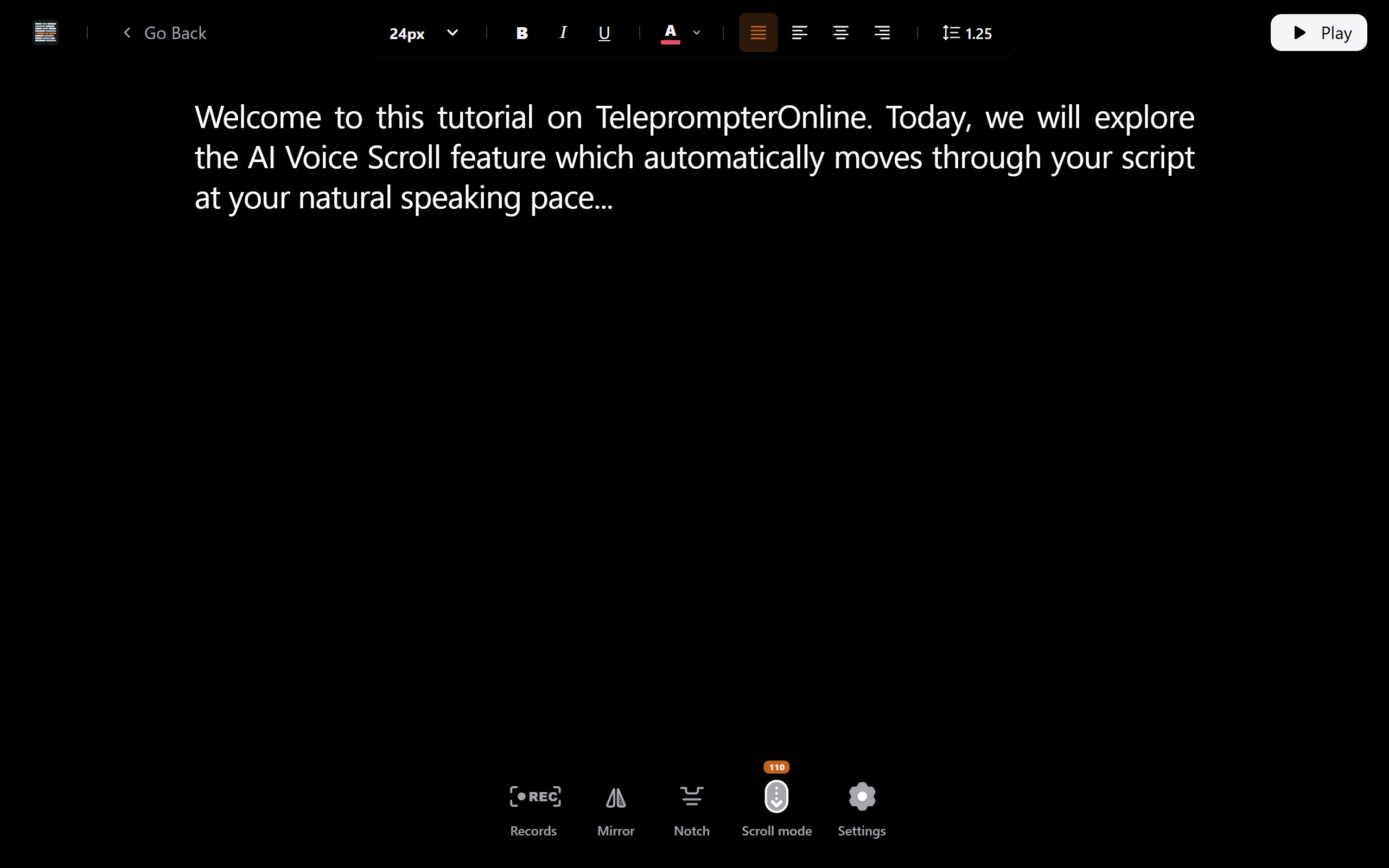
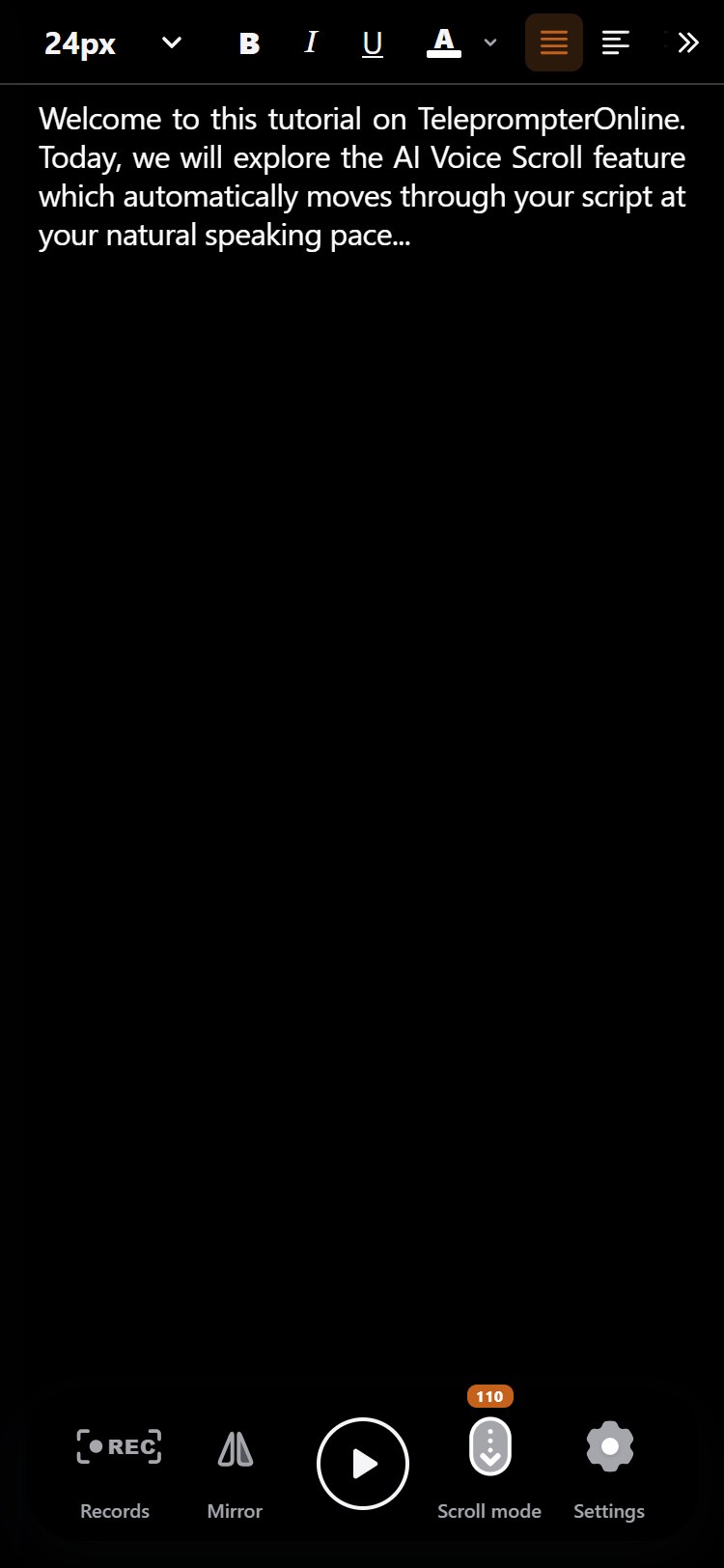
Notch mode squeezes the script into a short strip right below the camera, so your eyes barely move.
Scroll that follows you
Let the browser's speech recognition move the text as you talk, or set a fixed speed.
Phone as remote
Scan a QR code and your phone can pause, change speed, jump and start or stop a recording.
Laptop, tablet or phone
The reading area and controls rearrange for small screens in portrait or landscape, so a tablet on a stand works as well as a laptop.
Scrolling
Voice-activated scrolling that keeps pace with you
Talk at your speed; the script waits
You slow down on a hard sentence and the text runs away. You stop to breathe and it keeps going. Then you start the take again.
With voice-following on, TeleprompterOnline listens through your microphone and moves forward only as you say the words.
Speed up, slow down or stop for a beat. The highlighted line tracks what you just said, so you never hunt for your place mid-take.
- Fewer restarts
A script that matches your pace means fewer takes lost to text that was too fast or too slow.
- Room to pause
Stop for emphasis or a breath; the text holds until you speak again.
- Eyes stay level
The line you are reading stays in the same spot on screen, close to the lens.
- Sounds like you
You set the rhythm, so the read sounds like talking instead of chasing a ticker.
Would rather set it and forget it? Fixed speed and manual scrolling are one click away.
It uses the speech recognition built into your browser, so support and accuracy depend on the browser, language and microphone. If it is not available, fixed-speed and manual scrolling work everywhere.
Eye line
Keep your eyes near the lens with Notch mode
The farther the text sits from your camera, the more viewers notice you reading. Notch mode puts a short, narrow strip of script just under the lens.
- • Place the reading strip directly below your webcam.
- • Show only two or three lines, so there is nothing to scan.
- • Keep lines short, around 50 to 70 characters, to cut side-to-side eye travel.
- • Pair it with a remote so you never glance down at the keyboard.
Built for webcam videos, Zoom and Meet calls, recorded lessons and remote interviews.
Use your phone as a teleprompter remote
Scan the QR code on screen and your phone becomes a remote for the teleprompter. Nothing to install on either device.
- Start and stop recording
Roll the camera from where you stand, not from the laptop.
- Play and pause
Freeze the script between sections and pick up when ready.
- Change speed
Nudge the fixed scroll speed up or down mid-read.
- Jump around
Skip ahead or go back a section to redo a line.
Handy when you film alone, stand back from the screen or shoot on a glass rig.
Yes. Open the teleprompter on a tablet, laptop or desktop, scan the QR code with your phone, and use the phone to control the script and the recording.
Record
A teleprompter with camera: record up to 4K while you read
The camera runs in the same tab as the script. When you stop, the take is saved on your device and ready to download.
- Check the shot first
A live camera preview lets you fix framing and lighting before you roll.
- 4K on desktop, 1080p on iOS
Record up to 4K on supported desktops and in 1080p on iPhone and iPad.
- Every take, kept
Recordings stay in a local library next to the script you read, so retakes are easy to compare.
- Export clean
Download one take or a ZIP of several, with no watermark on any of them.
They are stored locally in your browser on the device you recorded with. We do not upload them to our servers. Download a single file or a ZIP when you want to edit or back them up.
Save scripts in a library that lives on your device
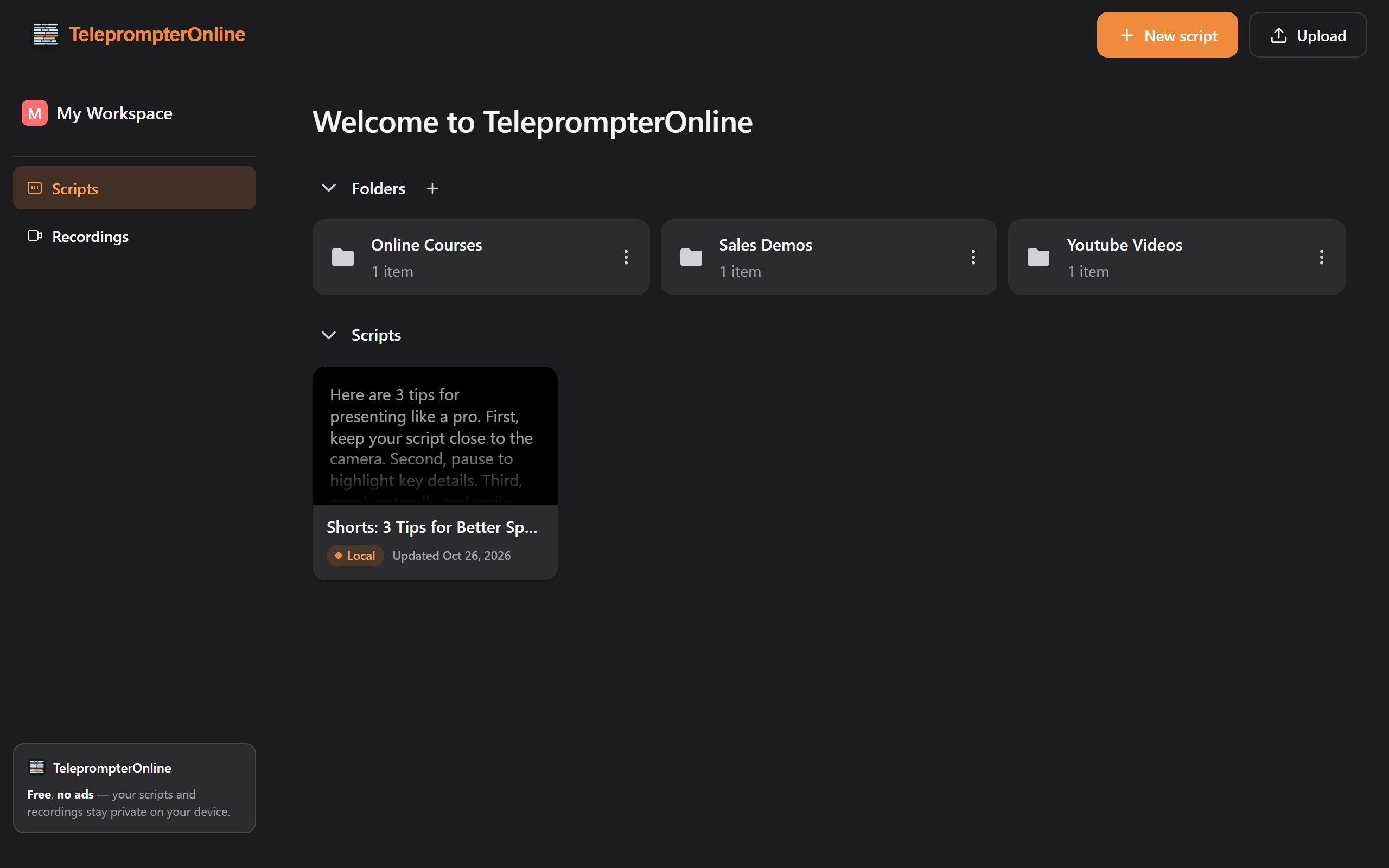
Keep drafts, final scripts and episode outlines in Workspaces. Everything is saved in your browser, so confidential material never reaches our servers.
- Folders for each project
Group scripts by channel, client or course.
- Import, don't retype
Bring in TXT, DOCX or Markdown files from your computer.
- Edit in place
Fix a line between takes without leaving the tool.
- Back to it in seconds
Reopen last week's script, tweak it and record a fresh take.
No. Scripts are saved in your browser's local storage on the device you are using, and you can start without signing up. Because they stay local, clearing your browser data removes them.
How it works
How to use an online teleprompter in four steps
Most people go from a blank tab to their first recording in a couple of minutes.
Bring your script
Paste it in, or import a TXT, DOCX or Markdown file you already wrote.
Pick a scroll
Voice-following for natural pacing, fixed speed for steady reads, manual when you want full control.
Frame and size
Check your shot in the camera preview, then set text size, line spacing and margins until reading feels easy.
Roll and read
Start recording, read to the lens and keep the take. Pair your phone first if you want a remote.
Who uses it
Who uses an online teleprompter
YouTube creators
Film tutorials and reviews in fewer takes, straight from your laptop webcam.
Short-form video
Shoot vertical Shorts, Reels and TikToks on your phone without memorizing a word.
Online teachers
Record course lessons with a script you can update between modules.
Sales and marketing
Record product demos and personal outreach videos that stay on message.
Video calls
Keep talking points under the lens during Zoom, Meet or Teams presentations.
Podcasters
Read intros, ad reads and outros cleanly, on video or audio only.
Speakers in rehearsal
Record practice runs of a talk and watch them back to fix pacing.
Newsreaders and reporters
Deliver a piece to camera with a steady eye line and a script that keeps up.
Why one tab
Teleprompter and recorder in one tab, no juggling
A typical setup needs a prompter app, a camera app and a way to get files between them. Here the script, the camera and the take library share one browser tab.
What changes when it is all in one tab
Start in under a minute
No download and no account to begin. Paste a script, allow the camera and record.
Files stay with you
Scripts and recordings live in your browser's local storage. Voice recognition may run on-device or through your browser vendor's service, depending on the browser.
Free to use, no ads
Read, record and export at no cost. Pro and Lifetime plans are there if you want more.
Write the script, read it, record it and export it without leaving the page.
About
Built for the solo shoot
Most people who read on camera are also the person running the camera. TeleprompterOnline is made for that situation.
So the recorder sits inside the teleprompter, the script hugs the lens and a phone can stand in for a crew member pressing record.
Laptop at a desk, tablet on a tripod or phone in your hand: open the tab, read your lines and leave with a usable take.
Under the hood
Why it runs in a browser tab
How TeleprompterOnline keeps the camera, the script and your files together without an installer or a cloud account.
One tool for the whole take
Switching between a prompter and a camera app costs time and takes. Putting the recorder inside the teleprompter removes that step.
Nothing to install
The browser already has access to your camera and microphone, so recording and voice-following work without extra software.
Local by default
Scripts and takes are saved on your device rather than on our servers, so you decide what leaves your computer.
What affects voice-following
How well the scroll tracks you depends on the browser, language, microphone, room noise and how closely you stick to the script.
FAQ
Online teleprompter FAQ
Will viewers be able to tell I'm reading from a teleprompter?
Less so if the text sits right under your lens and stays narrow. Turn on Notch mode to keep a few short lines just below the camera. How natural it looks still depends on your screen size, how far you sit from the camera and how high the webcam is mounted.
Do I need a separate app to record myself with a teleprompter?
No. The camera recorder is part of the teleprompter, and both run in your browser. There is nothing to install and no account needed to start, and your takes export without a watermark.
What can I control from my phone, and how do I connect it?
Scan the QR code shown in the teleprompter and your phone becomes a remote. From it you can play and pause, change speed, jump through the script and start or stop recording. Response time and behavior when the phone screen locks depend on your devices, browser power-saving settings and network.
Can I use it with a teleprompter glass rig?
Yes. Turn on Mirror mode so the text reads correctly in the beamsplitter glass. Put the screen under the glass, set a large font for the reading distance and use your phone as a remote so you do not have to reach for the device.
Is it safe to use for confidential scripts?
Scripts and recordings are saved on your device and are not uploaded to our servers. One caveat: depending on your browser, voice-following may send audio to the browser vendor's speech service. Use fixed-speed or manual scrolling if that matters for a project.
What video quality does the teleprompter record in?
Up to 4K on supported desktop browsers and 1080p on iOS. The real result depends on your camera. Every recording is watermark-free and can be downloaded on its own or as part of a ZIP.
Why isn't voice-activated scrolling working in my browser?
Voice-following relies on the browser's own speech recognition, which not every browser offers. Check that the microphone is allowed for the site and try a different browser if needed. Fixed-speed and manual scrolling do not need speech recognition at all.
Is TeleprompterOnline free?
Yes, you can read, record and export for free, and there are no ads. Paid Pro and Lifetime plans are available on the pricing page if you want more.
Ready when you are
Paste. Frame. Record.
Your script and your camera are one click away. Open the teleprompter and get your first take done.
No ads. No watermark. No install.